
Android Fax App — Feature-Rich yet Simple
Start sending HIPAA-Compliant faxes online in minutes with Municorn's Android Fax App
Download App:
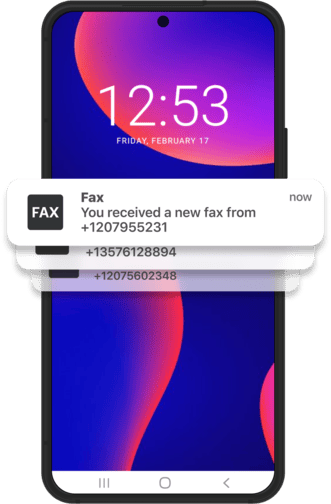
Municorn Fax Apps Are Used by Millions
7M+
App Store Downloads
3M+
Google Play Downloads
350K+
User Reviews
Android Fax App Features
Scan & fax paper document with your phone camera
Fax as if it was email
Supported file formats include PDF, DOCX, PNG, JPEG, TIFF and HTML
Fast and Simple Faxing Process
why Fax App
What Makes Fax App for Android The #1 Choice for 3 Million People
Versatile & Fast
The app runs smoothly on almost any Android device, it’s lightweight, responsive and bloat-free. You’ll quickly find that Municorn Fax App is made with one purpose in mind — to send and receive faxes with as few distractions as possible.
Fax Anywhere at the Same Price
Most of the places that offer fax services like office and shipping stores, charge twice as much for national faxes and 3 to 5 times as much for international fax. Well, that’s not the case with our Android Fax App – it’s all the same price for an almost unlimited amount of faxes.
Fax Any Files on Your Phone
Fax any files from your email inbox, your Google Drive or Dropbox, phone storage, messaging apps, from anywhere, really. Keep history of sent files in the app for easy access in case you need to resend them somewhere else or confirm delivery.
The Process
Fax with Android Fax App in 3 easy steps
We know that faxing with a fax machine can be a hassle so we designed the process to be as straightforward as possible
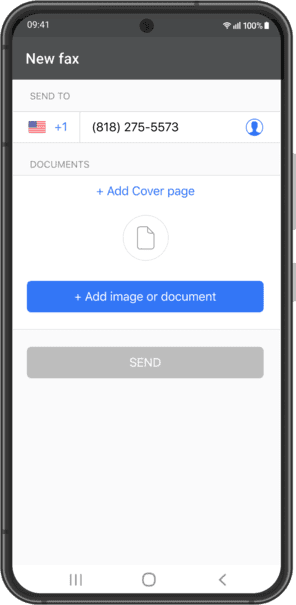
Step- 1
After you've registered in the app and chose your own number, enter the fax number of the recipient.
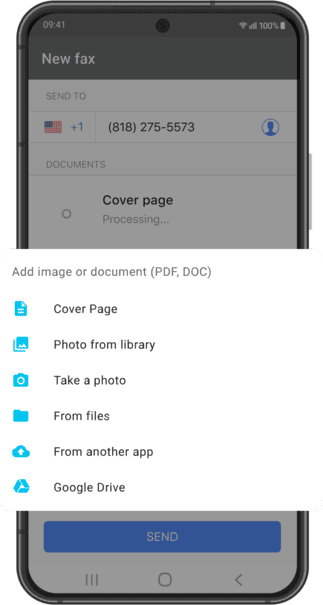
Step- 2
Upload a cover page if needed, add a PDF or MS Word document from your Android phone's internal storage or another app on your phone
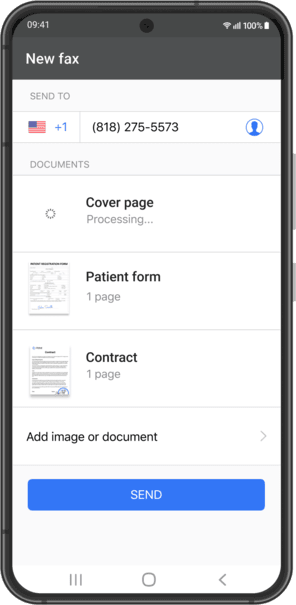
Step- 3
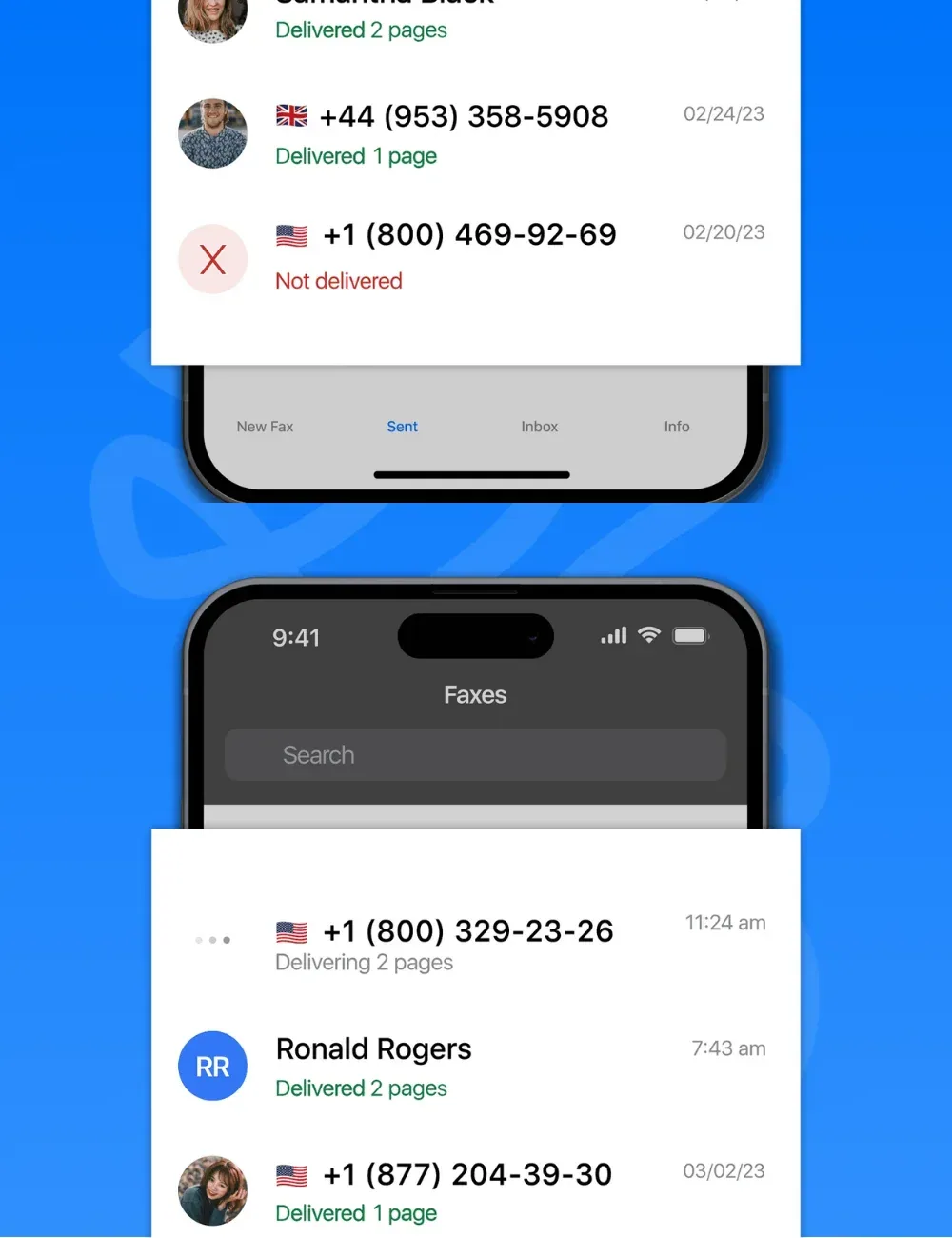
Review the contents of your fax and hit large SEND button as soon as you're confident. You'll receive confirmation as soon as your fax is delivered
To receive fax, get your local fax number on signup, provide it to a person or organization willing to fax you and wait for the fax in your Municorn Fax App inbox.
Our testimonials
What customers say about us
Read our Google Play User Reviews. Quoted verbatim
Google Play Review
Worked out perfectly for my spur of the moment needs. It was the middle of the night and I live in an area where there is zero available resources to send a fax and I had a deadline I had to make and this app. Saved my butt . Thank you to the creator. I appreciate the app. I would recommend it and will use again in the future
Read Our TestimonialsGoogle Play Review
Exceptional! I was flying abroad and needed to send a fax. This app was a life saver! Easy to use, and you are also notified once the fax has been received at the destination.
Google Play Review
Best online faxing I’ve found! No caps on the size of the file or the number of pages you can send, and it was sooooo quick and easy! No nonsense! Awesome!
Google Play Review
First let me say that I have been using the app for a long time and the app is very helpful and good. So I definitely recommend.
FAQs
Frequently Asked Questions
Is the Android Fax App HIPAA compliant?
Is the Android Fax App HIPAA compliant?
Yes, our Android Fax App is fully HIPAA compliant and secure. We know how important it is to protect sensitive medical information so we have implemented robust security measures to ensure all faxes sent and received through our app meet HIPAA regulations.
Can I customize my fax cover sheet in the app?
Can I customize my fax cover sheet in the app?
Yes! Our Android Fax App has a built-in cover sheet creator where you can customize your fax cover sheet with your name, phone number and a custom message.
Do I get a fax number with the Fax App?
Do I get a fax number with the Fax App?
When you sign up for our Android Fax App you get a dedicated fax number from the state of your choice. This number allows you to receive faxes right within the app so you can manage your incoming documents.
How does the document scanning work in the App?
How does the document scanning work in the App?
Our app has a powerful document scanning feature that turns your Android device into a portable scanner. Just use your phone’s camera to take clear images of your documents. The app will automatically enhance the scanned images, adjust contrast and remove shadows for better clarity. You can then edit, sign or annotate the scanned document and fax it right from the app.
Can I use the Android Fax App internationally?
Can I use the Android Fax App internationally?
Yes, our Android Fax App supports international faxing. You can send faxes to over 90 countries worldwide at no additional cost.