Quick answer: For an all-round free option, eFax’s one-week free trial gives you the highest fax quality and full send-and-receive — just remember to cancel. If you want zero sign-up and no card, FaxZero lets you send up to 5 faxes a day to US and Canada numbers. Jump straight to rankings.
Most online fax services cost money — but a handful are completely free, and others offer a free trial, so you can send a fax without paying a penny. We’ve reviewed the best ways to fax for free below; faxes were sent, but not a penny was spent in the making of this article.
The good news: there are ways to send a free fax. The bad news: it’s harder than it looks, and it took a lot of digging. Plenty of apps look ‘free’ on the app store — until you install them and realise you have to sign up and pay.
What does free faxing mean?
Free trial, then cancel
You sign up, hand over payment details, then cancel during the trial before you’re charged. Basically free — though it’s easy to forget to cancel, and not everyone likes giving out card details. These tend to be the better services: you get full access to a top option for a short time.
Genuinely free, no subscription
Some services let you send a free fax with no sign-up at all — you just start faxing. It’s what most people prefer, but these options are generally more limited than the free-trial ones.
How we reviewed
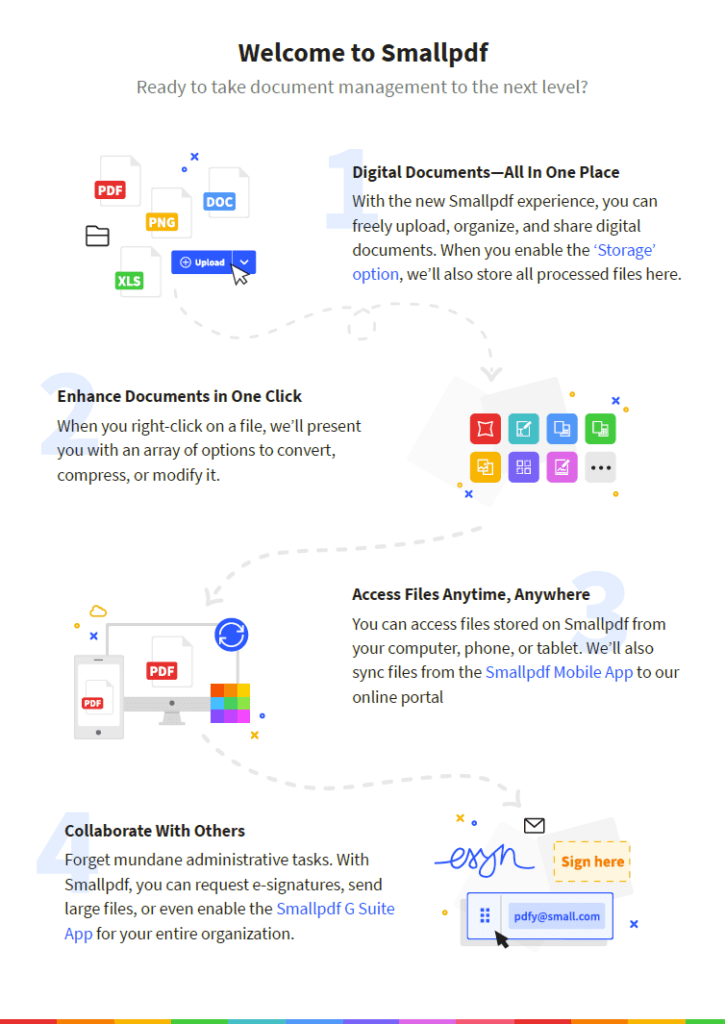
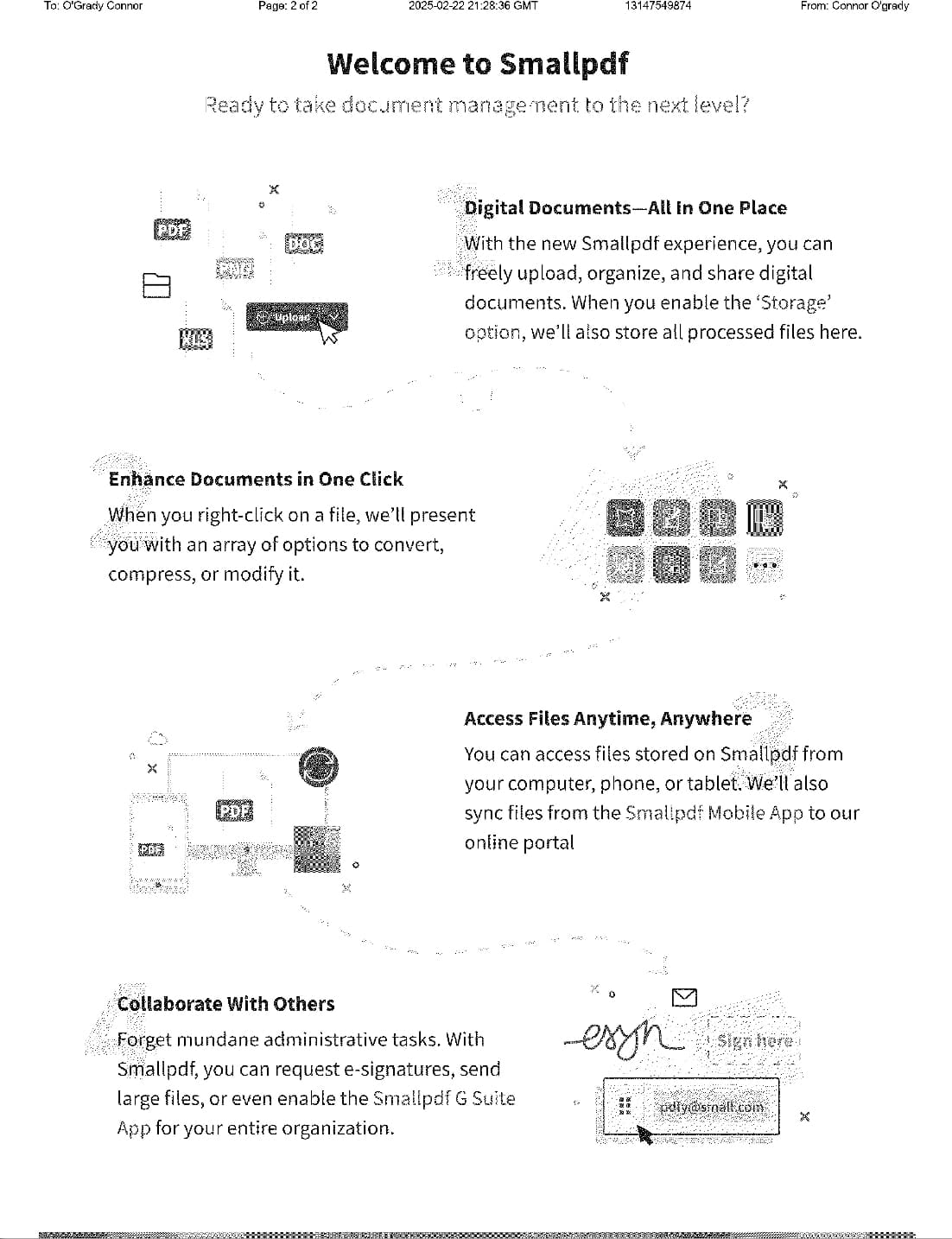
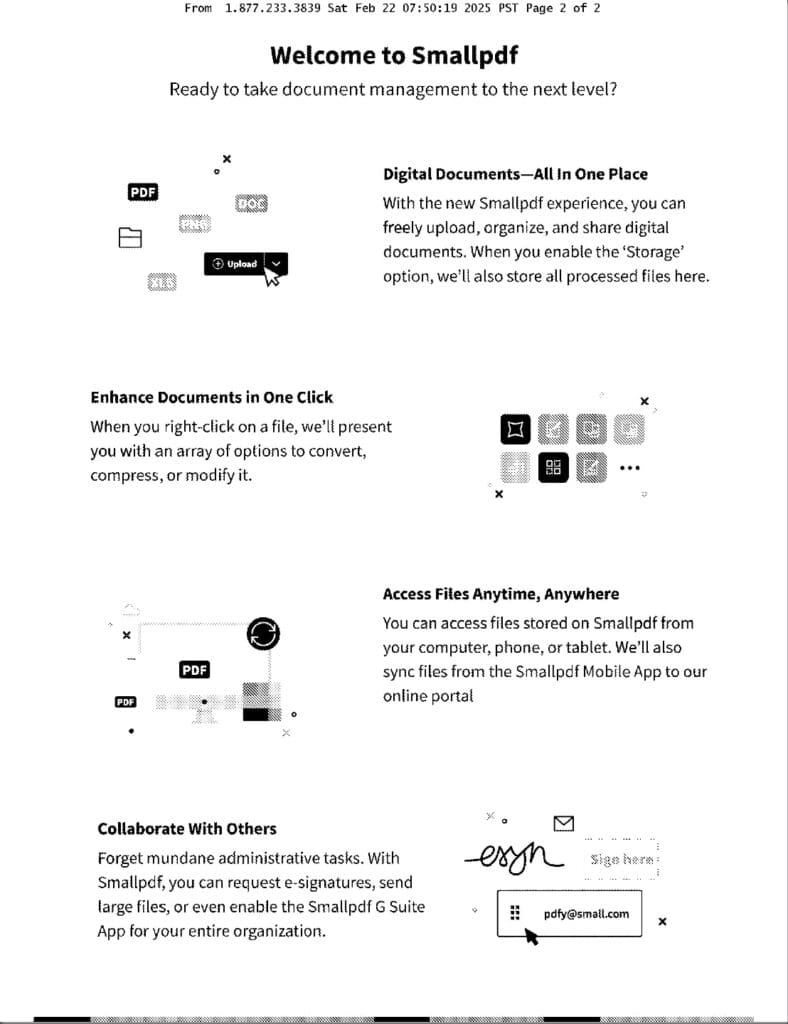
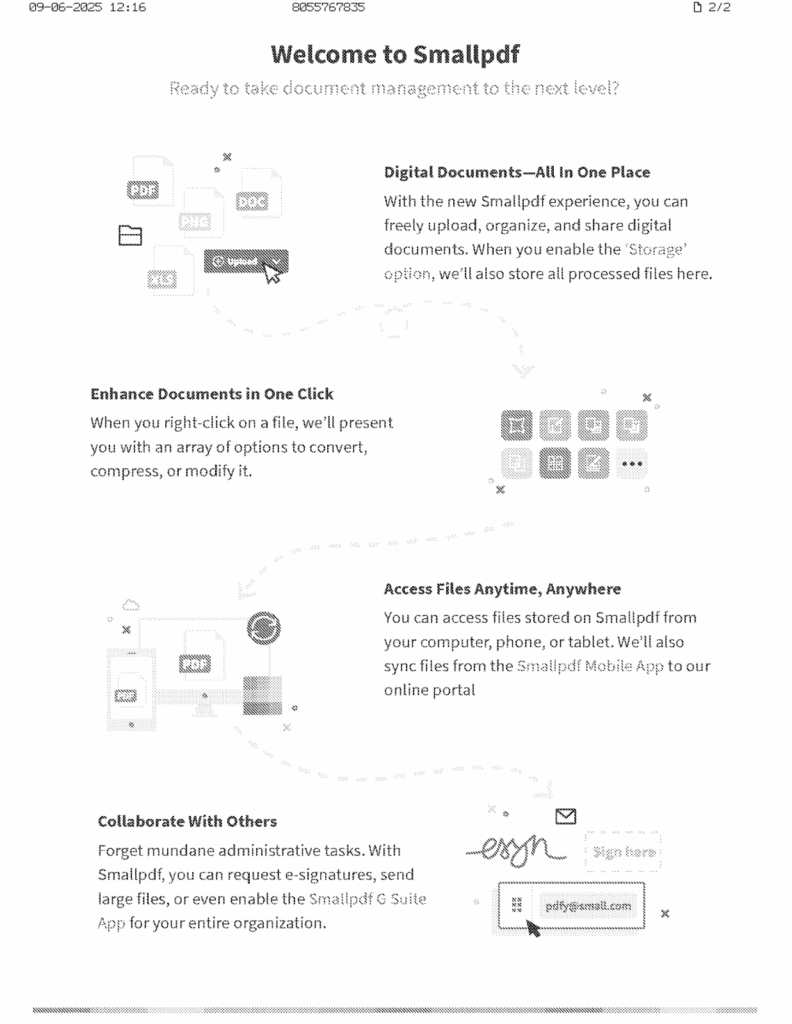
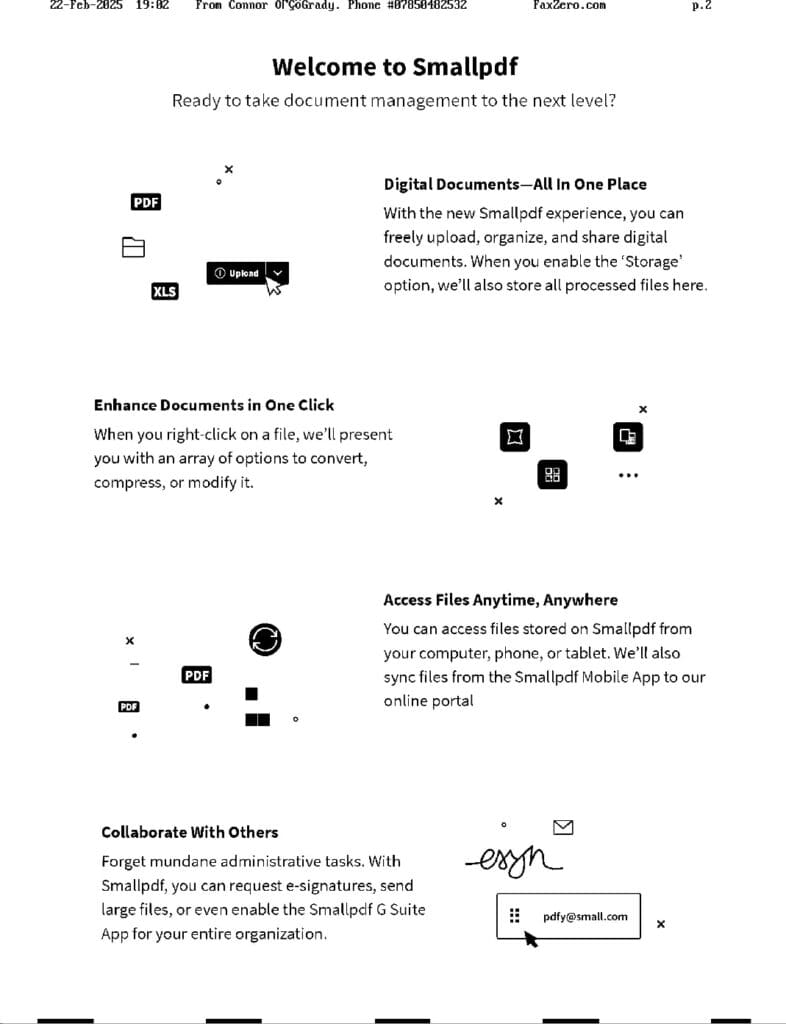
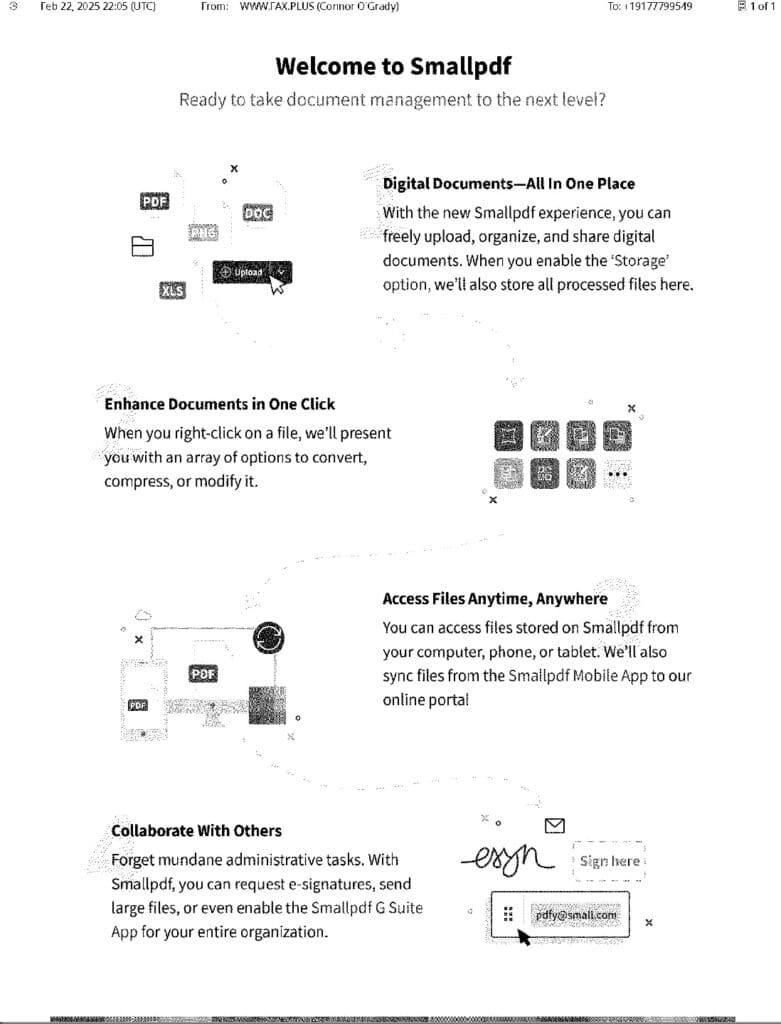
We faxed the same sample PDF through every service — a document mixing text, graphics and colour — so we could compare how cleanly each one sends.
The test document we faxed through every service.
We ranked each service out of 10 across four areas:
The Good
What we like about each service.
The Bad
What we don’t.
How Secure Is It?
Free services are often less secure, so we flag how safe each is for sensitive info.
What Others Are Saying
We’re all rightly suspicious of ‘free’, so we checked third-party reviews.
Before we begin, as a disclaimer — it is not recommended to use a free fax online service to send and receive faxes containing sensitive information or confidential data. If you are dealing with taxes, insurance, healthcare, or anything else which is very important — I recommend signing up with a more premium paid service which can offer more customer support and security features than a free fax service. See our online fax services review for all options, both free and paid instead.
Free Fax Services Compared
Fax services compared at a glance — sorted by our score.
Here is every free fax option we tested, ranked from best to worst. Each review covers what we liked, what we didn’t, how secure it is, and what other reviewers say — tap “Security & user reviews” on any card for the full detail and our test-fax result.
eFax is a well-established provider (founded in the 1990s) at the forefront of digital faxing. Its one-week free trial lets you test the full service and send faxes at no cost, across web, Android, and iPhone — more flexibility than the “totally free” website-only options.
It produced the best fax quality in our testing, with graphics and fine detail captured cleanly.
Use the website, Android, or iPhone app — more flexible than free-only options
Can receive faxes during the trial
Easy cancellation — no phone call needed
Best fax quality on the list — crisp graphics and detail
Secure enough for sensitive documents during the trial
Cons
On a paid plan you’re limited to 30 faxes/month send + receive, with extra charges for international — not a free way to fax abroad
eFax was out of fax numbers for several area codes we tried
Security & user reviews
Security
eFax has a strong industry reputation for security and regulatory compliance, and can advise on regional faxing limits. Note clearly: the free trial does not include HIPAA compliance — that requires a paid HIPAA plan, so don’t use the trial for sensitive medical info.
What others say
eFax earns consistently high ratings as a paid service, and since the trial gives you full paid features temporarily, you get that experience free for a week. The eFax iPhone app rates around 4.7 from 28,000+ reviews.
App or website?Web, Windows, Android, email-to-fax
Send & receive?Send only (free; receiving requires payment)
Score8/10
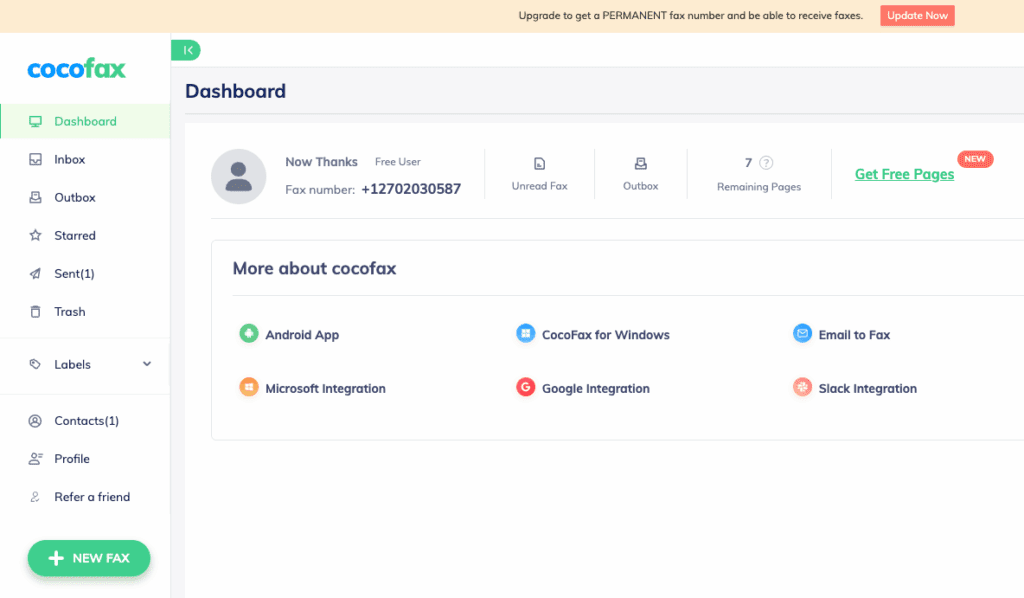
CocoFax is a popular fax service used by individuals and enterprises, and includes a totally free trial which requires no commitment or credit card information. All you need is an email address to create a free account and start sending free faxes online. CocoFax will give new users a free fax number (however you won’t be able to receive faxes until you pay for a subscription), and they claim to offer you 10 free fax pages to send, after which point you must sign up to a plan. The features you can use when sending a new fax are limited compared to being on a paid plan, however you benefit from all the security that CocoFax has to offer, making this free option a strong proposition for people who don’t want to give any payment information away.
If you’re looking to simply send a free fax, whilst providing no payment details and getting the best security and service out there — CocoFax is what we’d recommend. We can’t give it full marks because it’s misleading about the number of fax pages you actually get, but if you only want to send a few pages for free, we’d go with this.
Pros
Very good security features
Works across web browser, Windows, Android and email-to-fax
The fax quality was very good
Amazing range of cloud-storage connectivity and file-type support, even on a free account
You get your own personal free fax number
Clean, simple dashboard like Gmail or Outlook
No pushy sales tactics to upgrade
Integrates with Slack and Google Workspace
You can fax internationally on the free trial
Cons
You don’t really get 10 free pages — the cover page can’t be turned off and counts toward your total, so one real page can cost two (or three if you add a message)
You cannot receive free faxes; you must pay before receiving is enabled
Security & user reviews
Security
CocoFax states it offers free HIPAA-compliant faxing without requiring any payment information, alongside top data-security measures such as 256-bit AES encryption, 2FA and firewall protections, plus stated GDPR and PCI-DSS compliance. This makes it one of the more secure free options — though for sensitive medical documents you should always confirm a signed BAA on a paid plan.
What others say
CocoFax is consistently well reviewed on G2, with a 4.7 out of 5 rating — better than some fully paid services. It’s especially popular with business users, and regular users on GetApp also rate it well at 4.3 out of 5.
GotFreeFax is a free online fax service which allows users to send a limited number of free faxes per day within the US and Canada. You get 2 free faxes per day, and 3 pages per fax, but you can send more with some paid plans. The website gets straight to the point — fill in your details and the recipient’s, type a cover-page message if you like, upload files from your device, click send, and you’re done. This is a quick way to send a short free fax online without signing up for anything.
GotFreeFax ticks all the boxes as a quick, free and easy online fax service you can use from your computer or phone. Unless you’re faxing sensitive information or need more pages than the free service offers, this is a really good free fax option, and it gets a strong recommendation.
No sign-up or card required — just verify your email
Very fast (uploaded, sent and delivered in about a minute)
Great email status updates, including delivery confirmation
Recognised every fax-number format we tried
You can receive faxes without committing to your own number, via a simple verification system
No watermarks, branding or adverts on your fax
Upload your own custom cover page or use theirs
Good, readable quality for a free service (some clarity lost in graphics and lighter images)
Cons
Quite a lot of ads, even in the email updates
Supports only 5 file formats, so you may need to convert files first
Security & user reviews
Security
GotFreeFax’s privacy policy mentions a few measures to keep its internal systems and data safe, but as far as fax transmission goes there’s no mention of encryption or compliance with HIPAA or any other regulations. GotFreeFax is therefore not a recommended option for secure faxing.
What others say
GotFreeFax does what it says — a quick free fax at average quality, and it gets reviews to match. TechRadar gave it a solid 4-star review. The quality isn’t excellent, but it’s totally free. It’s not malicious and it isn’t a scam — just a helpful free fax service.
FaxBurner is an online fax service with an iPhone or Android app, plus email-to-fax with your preferred email account. A paid service, FaxBurner has a ‘Free’ plan you can sign up to and use without ever paying or providing payment details. The free plan lets you send and receive — with limits. For sending, you can only send 5 fax pages in total before upgrading; it does not reset monthly. For receiving, you can receive up to 25 pages per month, forever, for free — but you can’t keep your own number: you get a temporary number that’s yours for 24 hours before it changes.
If you’ll never need to send many faxes but want a quick, easy way to occasionally receive some — and you don’t mind the relatively low security — FaxBurner’s free plan is one of the best-value offers in online faxing. It’s a totally free way to receive up to 25 fax pages each month.
No credit-card details ever required to keep a monthly account
Receive a small number of faxes each month, free, forever
Free app with cover pages, e-signatures and cloud-storage connectivity
Email-to-fax included on the free plan
Much better fax quality than FaxZero and GotFreeFax
Strong customer feedback and high app-store ratings
Simple and user-friendly
Good activity updates
You can always get your own (temporary) private number
Cons
You can only ever send 5 pages total before paying — it doesn’t reset monthly
Large logo and branding on the cover pages you send
Very little security and no HIPAA compliance
Security & user reviews
Security
FaxBurner is not advised for confidential or sensitive faxes — it is not HIPAA compliant (even on its highest paid plan), and very little detail is provided about its security. It doesn’t even claim to encrypt transmissions, which would make it less secure than the average online fax service.
What others say
FaxBurner has a very positive 4.9/5 score on the Apple Store. They also respond to reviews in an engaging way — we found one bad review that led them to refund a customer’s annual charge after they locked themselves out. People are generally very satisfied using FaxBurner as a low-cost or free option.
FaxZero is a free online fax service for computer or mobile. It’s totally free and requires none of your personal information or payment details — just verify your email and you’re good to go. FaxZero offers 5 free faxes per day with a 3-page limit each, plus an ‘almost free’ option to buy more and larger faxes.
FaxZero is a good alternative to GotFreeFax, standing out for more free faxes and for encouraging political participation. We wouldn’t recommend it above GotFreeFax as an all-round service, due to fax quality, branding, the inability to receive, and other factors — but it’s very useful for quickly firing off a free fax.
Supports a variety of file formats — over double GotFreeFax
Bigger free limits than GotFreeFax (5 faxes/day)
Built-in support for political engagement — fax your congressperson, governor or senator, with resources to find them
Cons
Failed to recognise our fax-number format at first, so the first send failed
No option to receive faxes
Slower to send (about 3 minutes)
Email updates were slow and went to spam; FaxZero warns its emails are blocked by some providers like Outlook
Auto-branded cover page that can look unprofessional, with the sender’s name distorted and hard to read
Poor quality — lighter graphics disappeared entirely, and GotFreeFax sent a clearer image
Security & user reviews
Security
Like GotFreeFax, FaxZero is totally free and ad-funded, so you aren’t getting the highest security, and there is no HIPAA compliance. Only send non-confidential faxes with this service. On the plus side, FaxZero is committed to no spam, keeps secure servers, and claims to delete your fax data three days after sending.
What others say
FaxZero is well-liked by the tech press as a basic free provider — TechRadar gives it 4 stars and PCMag 3 stars, the latter saying that if you refuse to pay for a fax, it’s the best option.
Free trial or totally free?Free to use (10 pages only)
Payment details required?No
App or website?Website + Android & iPhone apps
Send & receive?Send only
Score6/10
Fax.Plus is an online faxing service from Alohi, and one of the top faxing apps on the Apple and Google Play stores. As a paid subscription it’s a good choice, and they have a page promising a simple process to send a free fax online.
Ultimately, Fax.Plus is a great service if you’re paying for it, but as a free fax service it falls short. You only get 10 pages in total, and the website leads you to think the free service is more generous, only revealing the details once you’ve signed up.
Much better UX than eFax, which feels dated and ‘Windows 95’ — Fax.Plus feels modern
No payment information needed to unlock the 10 free pages
Excellent fax quality with lots of detail retained (though not quite as clear as eFax)
Cons
Not as simple as the website implies — you must provide your personal cell number to unlock the 10 pages
You must pay to receive faxes; receiving isn’t offered on any free trial or plan, so this isn’t a complete free fax service
No choice over your fax number — ours came from a number registered in Switzerland
Only 10 pages total before you must pay
Security & user reviews
Security
While Fax.Plus lacks eFax’s more advanced features, it’s still considered very secure, and the free trial includes that security. It’s safe for important documents — but the free tier is not HIPAA compliant (only Fax.Plus’s most expensive plan is), so we wouldn’t use it for sensitive medical information to healthcare providers or insurers.
What others say
Fax.Plus is a well-reviewed, leading online fax service with a 4.7 score on the Apple Store. It’s one of the leading faxing apps across platforms and consistently gets above-average reviews.
Free trial or totally free?Free to use (3 pages only)
Payment details required?No
App or website?Website only
Send & receive?Send only
Score3/10
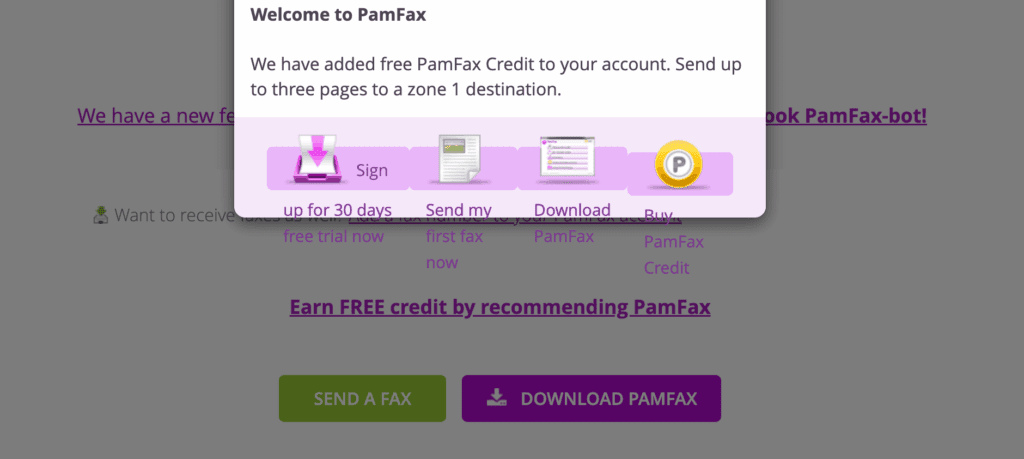
PamFax is an online fax service offering a free trial of 3 fax pages with no payment details needed. You can then buy a plan to get your own fax number and send and receive more.
PamFax is not a top suggestion when you search for free faxing options, and we’d suggest using an alternative.
Pros
Send a simple free fax with no payment details
Fax notifications via Skype, Telegram or Facebook using their bot
Cons
Quality was just plain bad — barely readable, with shapes and pictures not coming through
Free pages only go to undefined ‘zone 1’ destinations, and we couldn’t find which areas those are
No high-standard security features
Clunky, unprofessional website (even the links don’t display correctly)
Security & user reviews
Security
PamFax’s privacy policy mentions no advanced faxing security such as end-to-end encryption, regulatory compliance, or data protection beyond very standard measures. Not recommended for confidential information.
What others say
We’re not the only ones underwhelmed — TechRadar reviewed PamFax’s paid service and gave it 2.5 stars, finding it missed key features and lacked basic security.
PamFax free fax interface (note the broken links)
The Limits Of Free Faxing
As we can see, there are a few half-decent ways to send a fax for free online, whether it’s no-strings attached, or a free trial you need to cancel after the fact. However, there are pretty clear limitations on the choices we could find:
GotFreeFax: Bad quality, very limited number of free faxes.
FaxZero: Very bad quality, limited number of free faxes.
eFax: You need to remember to unsubscribe, lack of fax numbers in many area codes, and only 30 pages inbound and outbound for what is supposed to be a premium service.
Fax.Plus: Only 10 pages in total, and you cannot receive any faxes.
There’s also a few limitations they all have in common, one being page numbers — they all have a limit. The other limitation seems silly to say, but well, they’re free. This means you’re not a paying customer, so how can you expect to be treated like one? Faxing usually involves very important, sensitive, and private information being sent in stressful times of life — filing your taxes, arranging healthcare, signing a will, etc., all still widely use faxing. You might be better off using a service which offers flexibility, security, and which treats its customers with the care they deserve.
The Best Way To Fax Anything
So, to close the loop. If you want genuinely free, with no card and no sign-up, GotFreeFax is the one we would pick — two faxes a day, three pages each, and the cleanest output of the no-signup options. If you want quality and can be trusted to cancel on time, eFax’s one-week trial gives you the full paid service with receiving included.
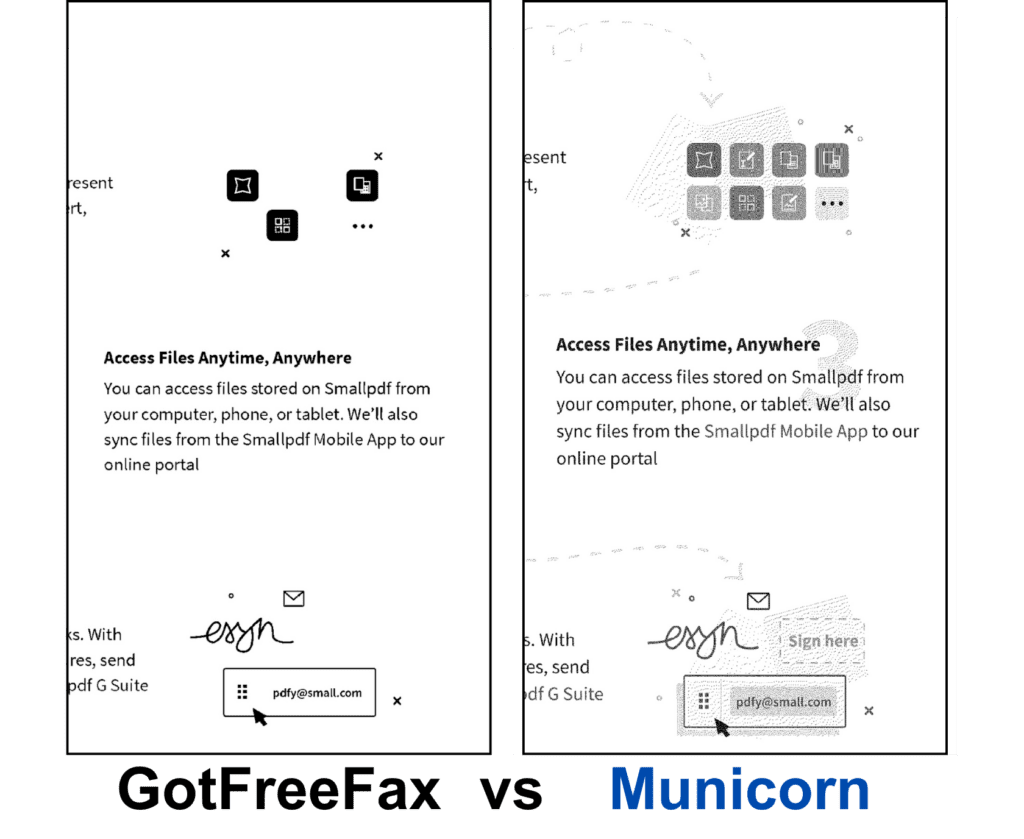
What you give up on a free service is visible rather than theoretical. Below is the same test document sent through GotFreeFax and through Municorn Fax, zoomed in on the same detail.
GotFreeFax vs Municorn fax quality comparison
The other thing you give up is the page count, and that is usually what makes people stop. Municorn Fax is $9.99 a week for unlimited sending and receiving with your own fax number, and it holds a 4.8 out of 5 average from over 364,000 App Store reviews. It also includes one free single-page test fax, so you can put it against anything on this list before you decide.