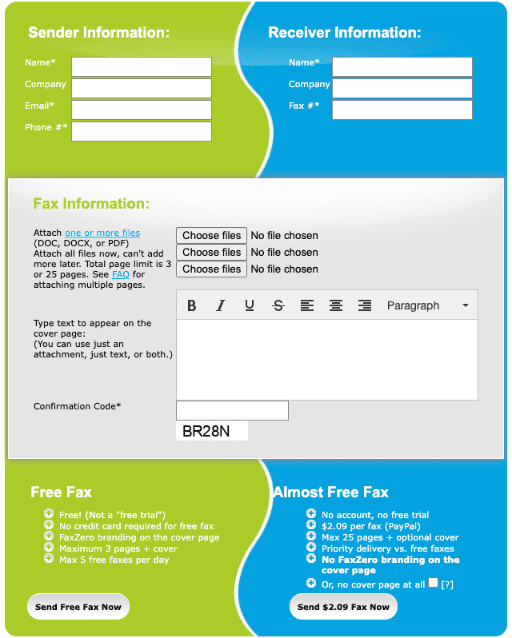
User-friendliness is one of FaxZero’s strongest areas – it’s an incredibly simple and understandable website, which makes it very obvious how to send a fax. Whilst some FaxZero reviews criticise the lack of a mobile app, we used the website on multiple mobile devices and it looked great – it’s optimised for mobile phone browsers, so you don’t need an app.
Then there’s the other aspects of the website – mainly the FAQs page, which is incredibly helpful and covers a large number of questions customers might have. You can learn everything you need to know about FaxZero from this page, including how to use it, pricing, how to enter the fax number, and anything else we could think of. From a user-friendliness perspective, FaxZero is great.
One other bonus – FaxZero includes a list of all Governors, Congresspeople and Senators, and how to get in touch with them via fax, on this page. Of course, many of them do not accept faxes, but this is a great way FaxZero encourages you to take part in the political process, and makes it as easy as possible.
There are a few small problems, though. Firstly, you have to be very careful when entering the fax number – if you include brackets or the ‘+’ sign, FaxZero will have trouble recognising it. We also struggled to enter an international fax number – the website kept telling us it was invalid.
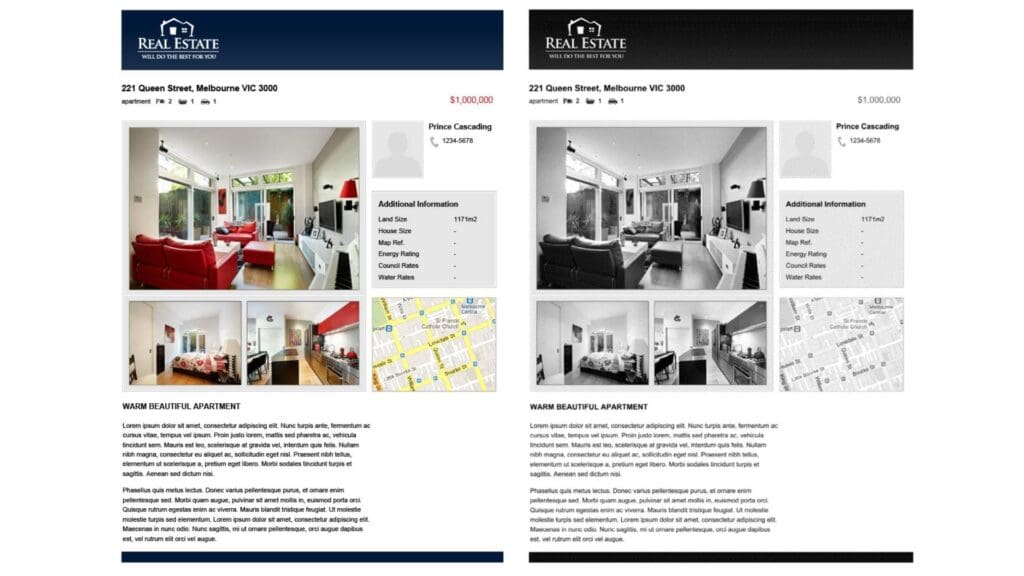
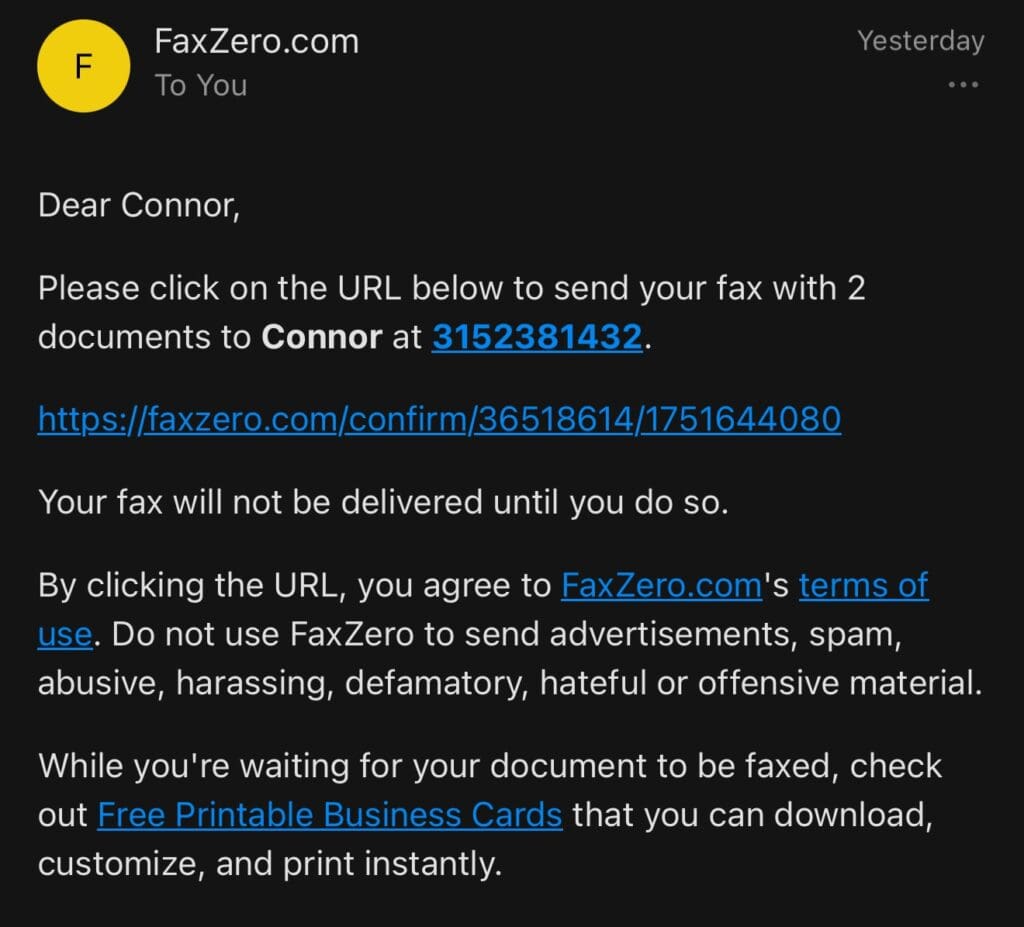
Then there’s a slightly bigger problem that may annoy some people – the FaxZero branding on the cover page, and the huge number of ads on the website and in the email notifications. Some recipients might think that it’s unprofessional to receive a fax which is covered in FaxZero branding, especially for important faxes. What’s more, the ads in the email notifications result in a lot of different links – you need to click on the link to confirm your fax to be sent, but with 5 different links in one short email, people who are less technology-savvy might click on the wrong link (see below).
Smaller problems aside, the email notifications are still quite helpful – you get an email for every stage of your fax’s journey, including confirmation once it has been sent. This gives users a useful way of tracking their fax, which is more than you’d expect from a completely free fax service.
This could be a short section – it’s free right, so what is there to complain about? Obviously, the free offering is FaxZero’s biggest selling point and the reason it’s so popular, but they also offer a paid service that it’s worth reviewing.
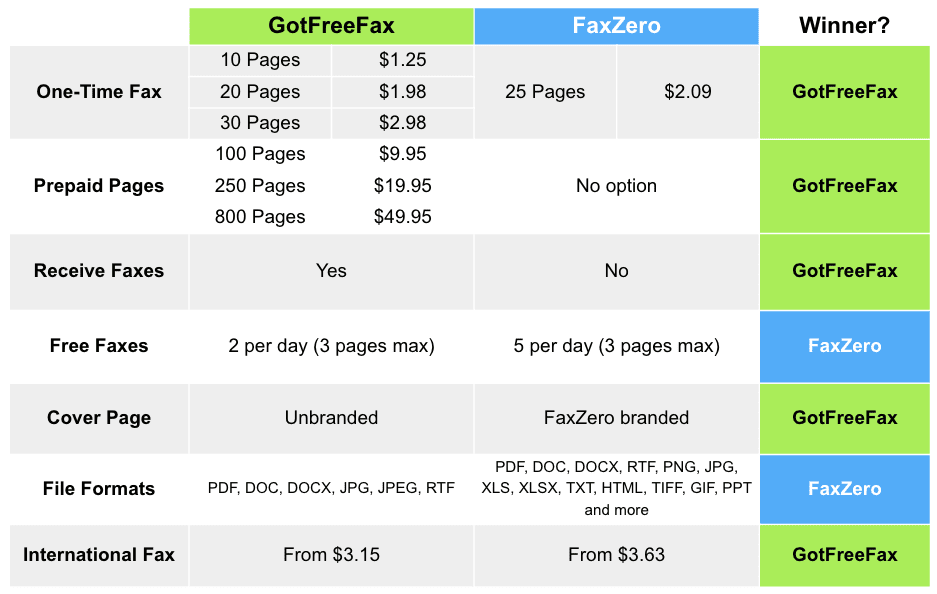
You can send five free faxes of up to three pages per day, or you can pay $2.09 per fax to send a 25-page premium fax, which FaxZero will prioritise above free faxes to ensure it sends faster (it took 2 minutes faster when we paid, which isn’t bad). They’ll also remove the branding on the cover page, in case you want to appear more professional. International faxes are also available at $3.63 for up to 15 pages – this is the cost for most countries, but of course some countries will cost more. FaxZero provides a full list of countries you can send faxes to.
As far as a price per page goes, this is not a bad deal for 25 pages – many one-off online fax companies charge more. It’s also quite cheap for international faxes too – you’ll often see other fax businesses charging more. FaxZero also offers refunds if your fax fails to send after 5 attempts – full refunds for USA and Canada faxes, and 90% of the cost for international faxes.
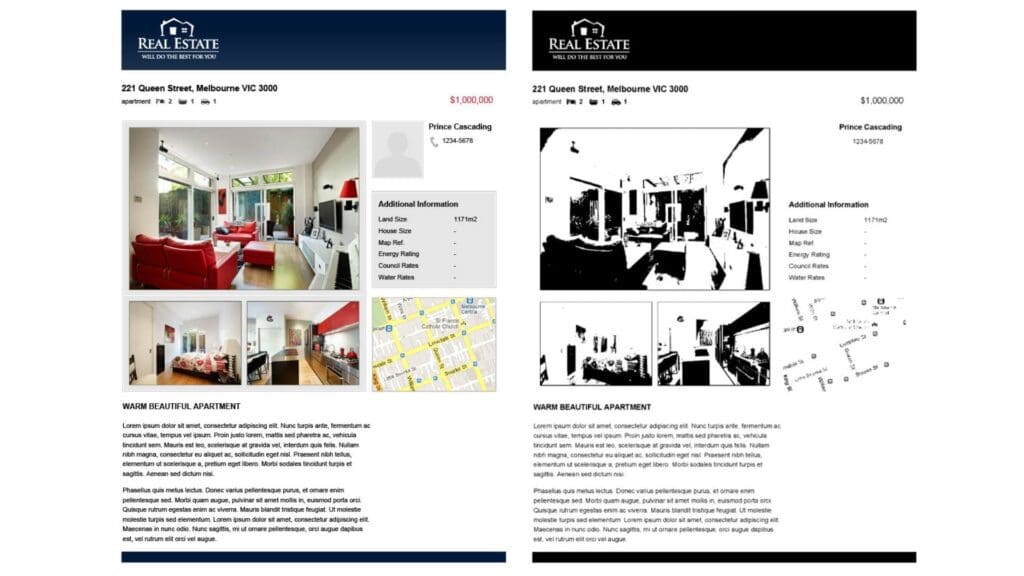
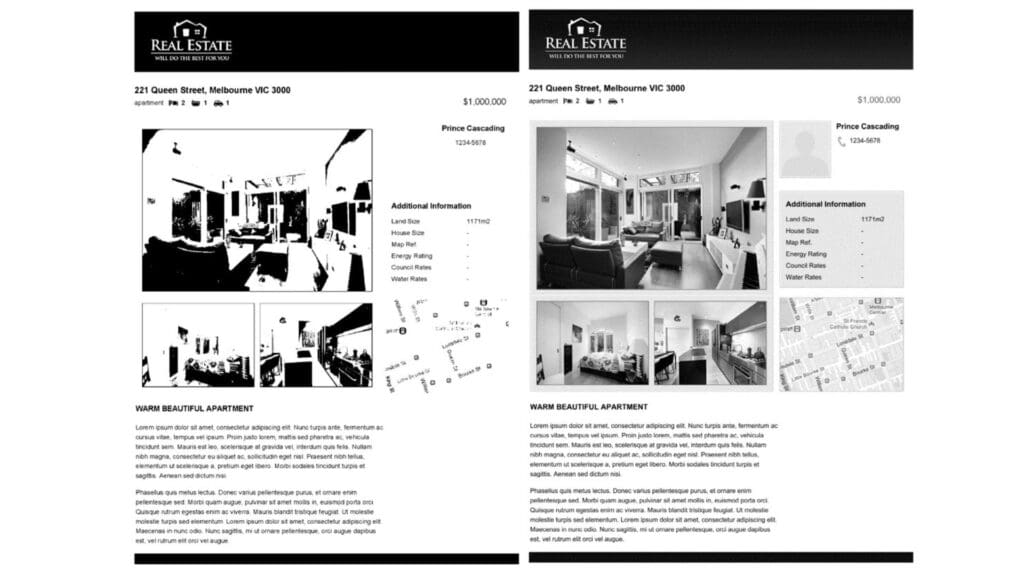
These prices aren’t bad – but the biggest problem here is the quality of the fax you’re paying for (and security too, but we’ll get into that in the next section). You can see the difference in quality below between a paid fax by FaxZero, and a paid fax from the Municorn Fax by Municorn.
On price and value, we wouldn’t recommend paying for a fax that looks this bad – not when there are so many other great options available. The fact that you also cannot receive faxes also makes FaxZero look like overall poor value for a paid service.
So, is FaxZero secure? On its website, FaxZero claims: “Our security is up to the best of industry standards.”
This just isn’t true, and it’s disappointing to see this on the website, because many people might be sending sensitive information using FaxZero, unaware that the security is much less than you can get with other online fax services.
Here’s what FaxZero does do – is uses https protocol to establish a secure connection, and encrypts file uploads, securing outbound communication with SSL or TLS. As far as security goes, these are very basic features, and the absolute minimum you should expect from any website you give any information to.
Here’s the problem – faxing usually involves sending important and sensitive data, often of a personal nature. If, for example, you’re faxing medical or healthcare information to an insurance or care provider, you need to use a HIPAA-compliant service like Municorn Fax, otherwise your data is at risk. Municorn, and other paid services, also offer more security features and a high level of technical support.
There are some other concerns too – FaxZero keeps all sender and recipient data indefinitely – this includes names, email address and phone numbers. When you’re sending a fax, FaxZero asks for your phone number – it’s optional, but it’s not clear why they ask for this, since they don’t send updates by phone. There’s absolutely no reason to give them your phone number, and the fact that they keep it indefinitely is quite worrying. Whilst FaxZero does delete fax content within three days of transmission, using it does seem like a data risk.
If you’re looking for a secure service to send anything important – we would recommend avoiding FaxZero.