There are pros and cons to SRFax for the user experience, so first we will focus on the good things.
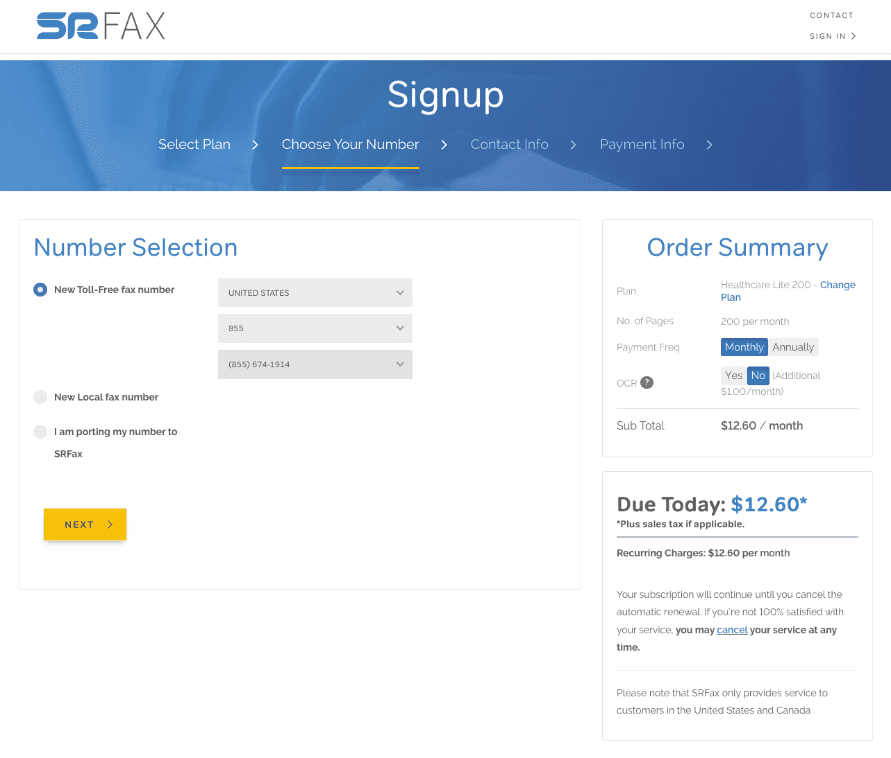
Firstly, signing up is a quick, easy and simple process. In about 1 minute, we were able to sign up, then choose our plan and our toll free fax number (or a local fax number).
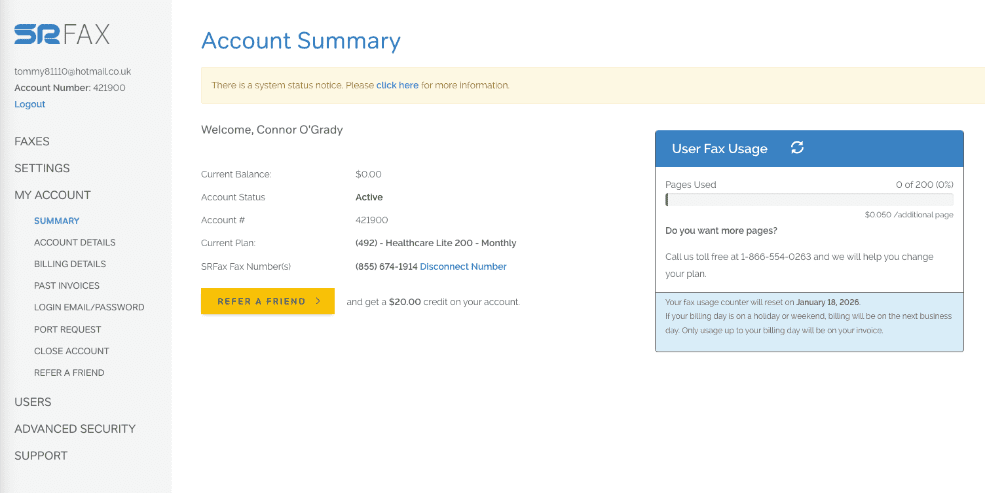
Once you are able to log on, the interface is very simple and easy to use. You will land on the ‘Account Summary’ page, where all options are clearly available on the sidebar – Faxes, Settings, Account, etc. It’s easy to navigate to send faxes, view incoming faxes, etc., and it’s even easy to see where to close your account in one click.
The interface is designed to make faxing as easy and simple as possible. Another nice touch is the fax usage view below, which shows users how many fax pages they have left to send.
SRFax also benefits from the fact that users can access it on any device, mobile or computer, and offers technical abilities such as fax broadcasting, which allow you to send to multiple recipients.
The user experience on SRFax has problems too. The first, and most obvious when you have used other services before, is that SRFax has barely any features for sending faxes.
Most online fax services allow the user to edit documents in a variety of ways, such as annotating, highlighting, e-signing, or cropping documents. Dropbox Fax, for instance, has totally free tools in-built to the web portal, which allow users to scribble and annotate on documents, and sign them, before sending.
SRFax does not allow users to do any of this – if you want to make changes to your documents, you must do it all in another app or program before sending it via SRFax. SRFax does not even give users the option of previewing fax pages whilst you are typing in the details of your fax. It is possible to preview a fax before sending it, however whilst you are preparing your fax, you cannot see the fax pages.
This is related to another huge drawback when you compare SRFax against its competition: the lack of a dedicated mobile app. Most online fax solutions include a mobile app, which allow users to take advantage of their smart phones to do things like scan documents using their phone camera, and easily rearrange or edit pages on their phones. With SRFax, you would have to download an additional, external scanning app in order to get the best use of your mobile device when faxing.
In addition to this, the interface of SRFax, whilst being easy to use, does look rather dated and clunky compared to other top services.
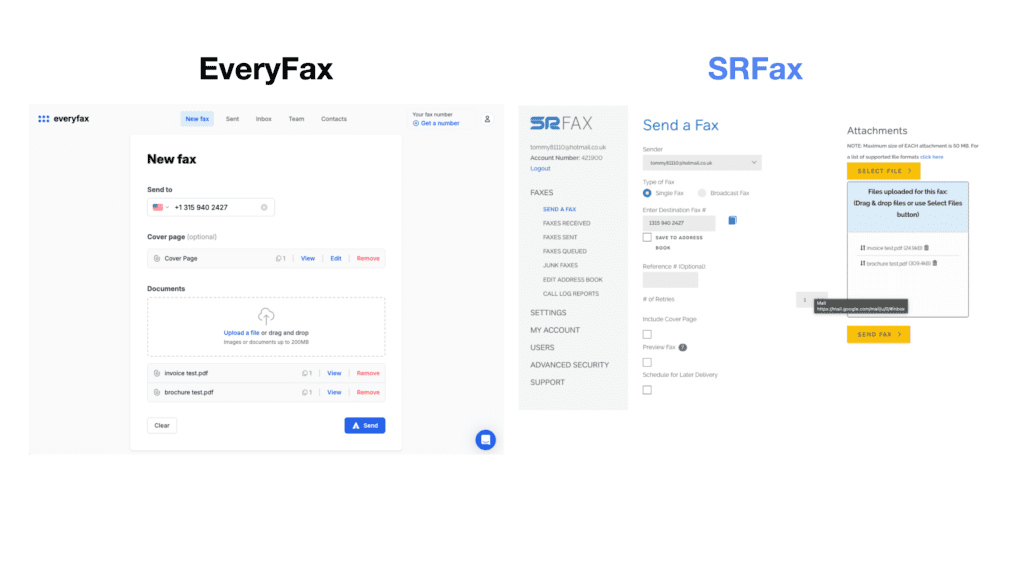
For example, in the ‘send fax’ pages below, EveryFax – a similar online fax service that’s HIPAA compliant and has attractive pricing – looks a lot simpler and easier to use than SRFax. The fax number is displayed in a proper format, and even has a flag to show which country code the number is for. Then below, the fax is clearly structured before the user presses send, and each page can be viewed easily. SRFax in comparison, looks clunky and complicated, and hard to understand.
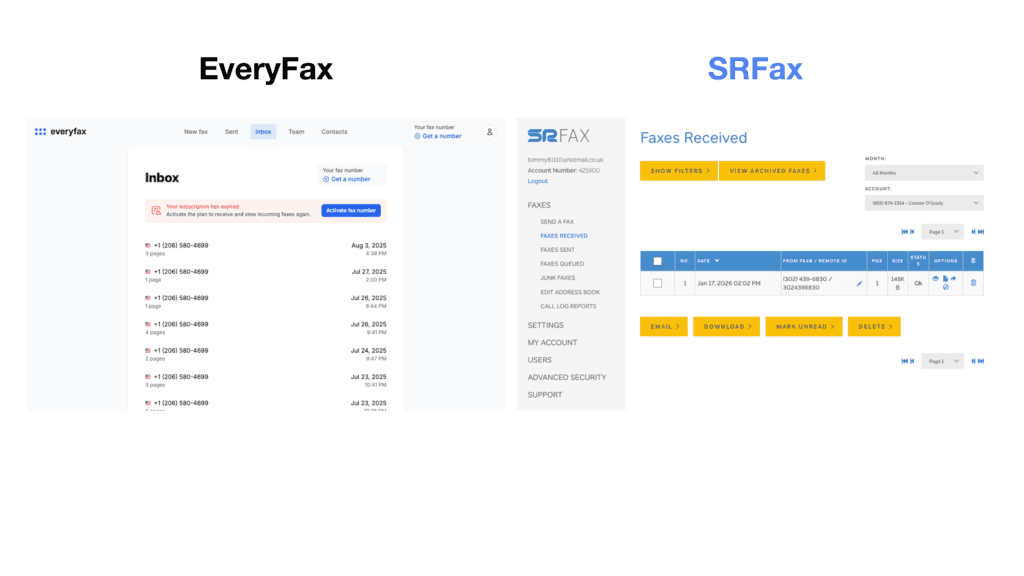
The same thing can be noticed when viewing your inbox – below, EveryFax looks very simple and easy to understand, the inbox is neatly presented. SRFax, on the other hand, looks very technical and overcomplicated, and much less user-friendly for the average person.
Of course, you can just use your email account to use SRFax, since it offers the email to fax feature. However, if we are comparing SRFax against other services, there is a clear difference in user experience which makes SRFax appear dated in comparison to other top providers.
There’s one more small thing which frustrated our experience of SRFax: when using it on computer, it constantly signs you out, even if you select ‘Remember on this device’ when logging in. Be prepared to type in your password many times!